Overview
When a customer hub is hosted on a custom domain, the Metabase dashboards embedded in the Insights Hub tab may fail to load due to restrictive frame-ancestors or X-Frame-Options headers. These headers prevent the content from being embedded in iframes on unrecognized domains. This is not within the scope of SaaS support and must be routed to the appropriate Business Unit (BU) contact for allowlist changes.
Solution
-
Obtain the Hub URLs:
-
Default hub URL (e.g.,
<hub>.influitive.com) -
Custom domain URL (e.g.,
https://portal.advocacymaven.com)
-
-
Symptom:
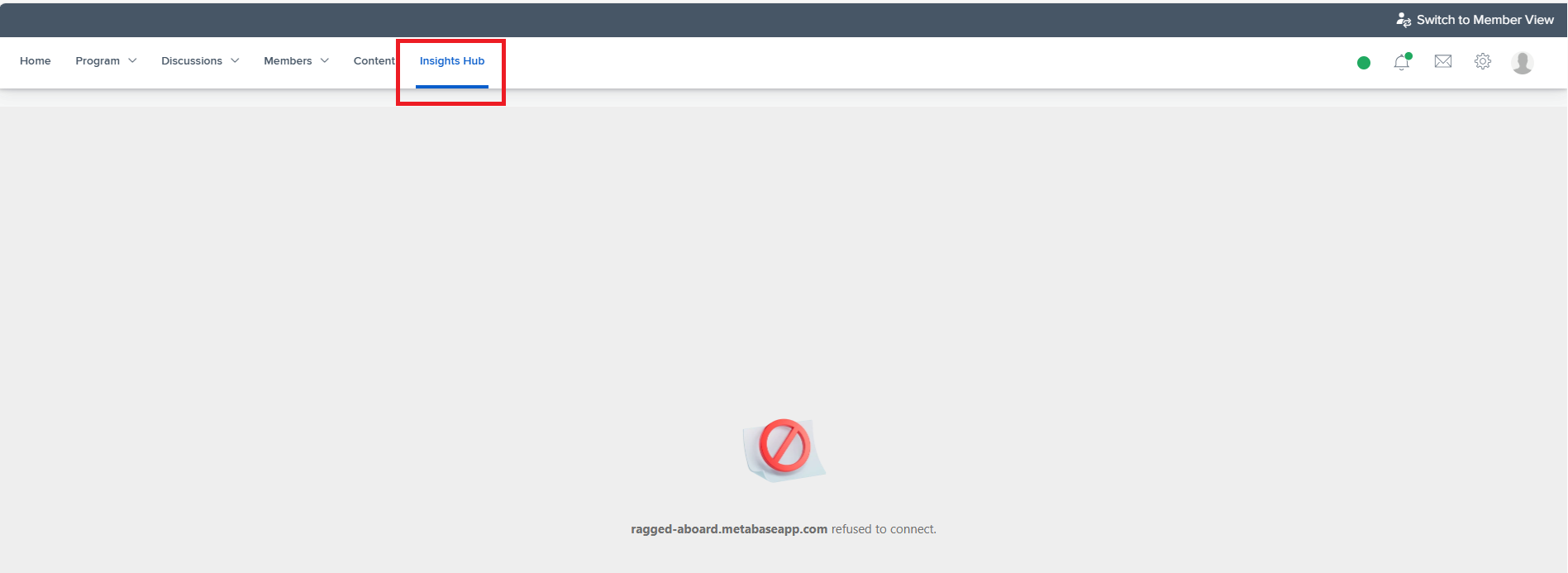
Error: ragged-aboard.metabaseapp.com refused to connect. Path: /corporate/metabase_dashboards when clicking Insights Hub. -
Your triage findings:
-
Confirm that the hub runs on a custom domain.
-
Confirm the Metabase request returns HTTP 200 but with restrictive frame-ancestor or X-Frame-Options headers.
-
(Optional) Confirm that direct access to https://insight.influitive.com loads dashboards correctly.
-
-
Retrieve the credentials and navigate to the Metabase Admin page.
- PasswordState entry for Metabase admin credentials
- Metabase embedding admin page
Navigate to the section entitled "Enable Full App Embedding".
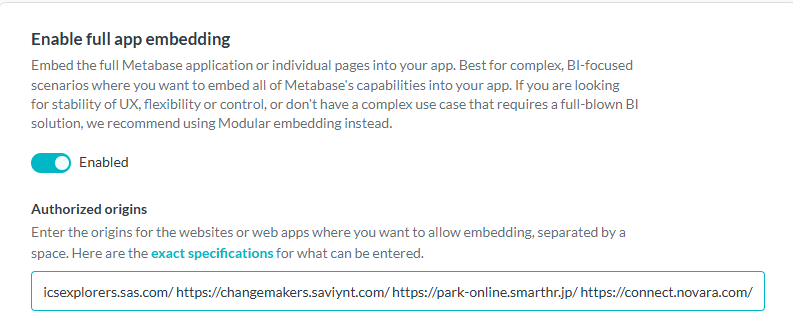
Add the custom domain URL as shown at the end of the existing field. Always add a space after the preceding URLs forward slash, then add the new URL followed by a forward slash. Hit Enter.
Randall Shawver
Comments